Blog
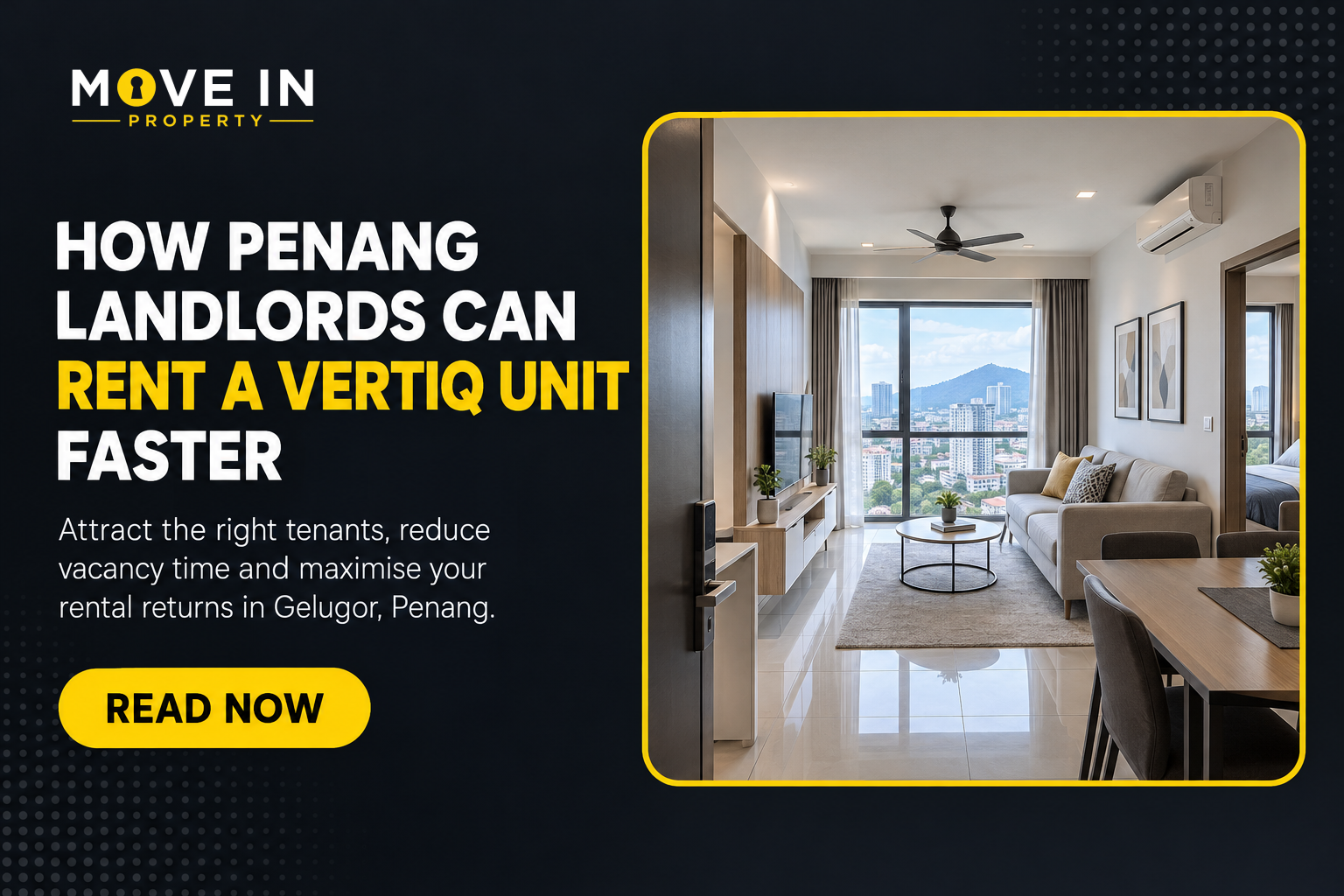
How Penang Landlords Can Rent a Vertiq Unit Faster: A Digital‑First Listing & Pricing Checklist
Yes, a Penang landlord can improve the chances of renting a Vertiq unit faster without beginning with an agent—but only if the advertisement is accurate and the tenancy terms are clear. Start with a verified unit fact sheet, compare the asking rent against genuinely similar Vertiq listings, and publish enough information for a suitable renter to decide whether to enquire.
Vertiq is a condominium development in Gelugor, Penang. If you are preparing one of two residential units for rent at Vertiq, treat each unit as a separate proposition: its floor, view, furnishing, parking, condition and availability can change the right asking rent and the type of renter it attracts. For wider project context, see the Vertiq condominium project page.
If you are marketing two Vertiq units as unit kediaman untuk disewa (residential units for rent), create a separate listing record for each one rather than combining them into a single generic advertisement. A renter comparing the available homes should be able to see which unit is available, its built-up area, furnishing, floor, view, parking arrangement, asking rent and earliest viewing date. This avoids presenting two different properties as though they have identical value or availability. Use the Malay wording where it helps local readers, but keep the key facts and tenancy terms unambiguous in the listing language.
Prepare a verified Vertiq unit fact sheet
Before taking enquiries, record the facts a renter is most likely to check. Confirm the exact address and unit identification, built-up area, bedroom and bathroom count, furnishing status, parking allocation, availability date and how utilities will be billed. Mark each item as verified, unknown or not applicable; do not fill gaps with assumptions.
Use project details only as context, not as proof of a particular unit’s condition or availability. A PropertyGuru project listing describes Vertiq as a freehold residential condominium or serviced-apartment development in Gelugor, Penang, associated with IJM Land Berhad. Separately, an iProperty project listing reports Persiaran Tunku Kudin as the address, with freehold tenure, completion in 2015, 318 total units and 35 floors. These are listing-specific details, so verify the exact unit information before publishing.
Separate features inside the unit from facilities shared by the development. A current rental advertisement mentions parking, security, lift, swimming pool, playground, gymnasium, sauna, barbecue area, minimart and jogging track. That does not establish that every facility is currently available, that access is unrestricted or that your renter’s use will be identical. Confirm current access conditions with the owner or relevant management before promising facilities in the listing.
Turn the fact sheet into a renter-friendly value proposition
Choose only advantages you can prove for the particular unit. A current Vertiq rental advertisement highlights two side-by-side car parks, a sea view, renovation and proximity to Lotus’s. These may be useful differentiators where they apply, but do not copy them into another unit’s advertisement unless they are accurate. The same principle applies to furnishing, floor level, views and renovation quality.
Set the asking rent from comparable unit attributes
Do not treat a single online figure as a fixed Vertiq valuation. One current rental advertisement describes a fully furnished 1,044-square-foot, three-bedroom, two-bathroom Vertiq unit offered at RM2,600 per month. It is a comparison input, not proof that every unit should be listed at RM2,600.
Use a short worksheet for the closest live rental listings. Record each unit’s built-up area, bedroom and bathroom count, floor level, furnishing, condition, view, parking and advertised rent. A current Mudah advertisement describes a fully furnished 1,044-square-foot, three-bedroom, two-bathroom Vertiq unit offered at RM2,600 per month; use it as one comparison input, not a fixed valuation. An iProperty listing provides a separate comparison of a fully furnished and renovated 1,087-square-foot unit with three bedrooms, two bathrooms and two car parks, but its sale listing is not a rental benchmark. If your advertisement omits details that distinguish the unit, improve the presentation first. If those details are complete and comparable rental listings still indicate a different asking range, reconsider the rent and verify the live listings before changing it.
Project sale listings also state that asking prices vary according to unit size, floor level, furnishing, condition and view. That is a useful comparison principle for rental advertising, but a sale price is not a rental benchmark. Current online asking prices are indicative and are not guaranteed prices for every unit, so confirm the live listing details before relying on them.
When comparing live listings, look for the displayed asking range rather than treating one figure as a fixed valuation. Actual asking rents can differ with unit size, floor, furnishing, condition and view, so record those attributes alongside the price and listing date. A sale-listing range can help illustrate why unit attributes matter, but it should not be converted into a rental price. Recheck whether each comparable is still active and explain any adjustment from the closest comparison. For a wider landlord workflow, see this Penang landlord action plan for filling vacancies.
| Pricing check | What to record | Decision before publishing |
|---|---|---|
| Size and layout | Built-up area, bedrooms and bathrooms | Compare like-for-like units where possible |
| Condition and furnishing | Fully furnished, partly furnished, renovated or basic condition | Describe inclusions precisely rather than using broad claims |
| Floor and view | Floor level and confirmed outlook | Adjust only when the difference is genuine and visible |
| Parking | Number, location and arrangement of car parks | State whether parking is included in the tenancy |
| Market comparison | Current asking rent and listing date | Recheck before publishing because listings change |
Build a digital-first listing that answers questions upfront
A strong Vertiq advertisement should be readable on a phone and complete enough to reduce avoidable back-and-forth. Use a headline that names the unit type, built-up area, furnishing status and asking rent. Follow it with the location, availability date, bedroom and bathroom count, car parks, utilities, tenancy conditions and a direct contact route.
Use clear photographs of the actual unit: living area, bedrooms, kitchen, bathrooms, storage, balcony or view where relevant, and parking. Add one short phone-first video that moves logically through the entrance, living space, kitchen, bedrooms and the most important differentiating feature. Do not use a project facility image as evidence of a private unit feature.
For the promotional side, a digital-first approach can combine a property listing with short-form video distribution. The practical aim is not to promise a particular number of leads; it is to present accurate information where likely renters can understand it quickly. For more general content planning, see digital-first tactics for advertising a room for rent in Penang.
Run the publish-ready listing checklist
Review each claim as “advertised”, “evidence checked” and “action required”. Publish only when the important claims match the unit and the next step is obvious.
| Advertised claim | Evidence or status | Renter benefit | Action before publishing |
|---|---|---|---|
| Fully furnished | Confirm furniture and appliances in the unit | Renter can judge move-in preparation | List major included items and photograph them |
| Two car parks or a particular view | Check the actual allocation and outlook | Suitable renters can self-qualify | Show or describe the confirmed arrangement |
| Facilities available | Confirm current access and applicable rules | Fewer disputes after enquiry | Separate project facilities from private features |
| RM2,600 asking rent | Use only as one current comparison, not a universal price | Transparent pricing discussion | Compare similar live listings and explain adjustments |
| Available for viewing | Confirm the unit is accessible and the date | Clearer conversion from enquiry to viewing | State the viewing route and response method |
Convert enquiries through accurate viewings and clear next steps
To schedule a viewing, provide a direct contact route in the listing and confirm who will meet the prospective renter. Before the appointment, ask the contact person to confirm the exact stack or unit position, car park count and whether the unit is semi-furnished or fully furnished. The renter should inspect the actual unit rather than rely on project photographs or a general description. Confirm the viewing time, access instructions and any occupancy or parking requirements in writing, then update the listing if the physical condition or included items differ from what was advertised. To see the viewing from the renter side, read our Vertiq tenant checklist.
After the viewing, compare the renter’s observations with the advertisement and update the listing if the physical condition or included items differ. Keep the viewing time, access instructions and any occupancy or parking requirements in writing so the appointment details and advertised facts remain consistent.
Ask practical pre-viewing questions such as the intended move-in date, number of occupants, work or study location, furnishing needs and parking requirements. Keep the questions relevant and explain that final tenancy terms remain subject to confirmation. This helps avoid spending time on a viewing that cannot meet the renter’s basic requirements.
For the offer and tenancy handoff, document the agreed rent, included items, availability date and responsibilities in writing. Booking or earnest-deposit terms must be confirmed before payment; the available evidence does not establish a standard deposit amount. Do not describe a deposit as “standard” unless the actual terms have been checked and accepted by the parties.
Frequently Asked Questions
Frequently Asked Questions
What should I verify before advertising a Vertiq unit?
Verify the exact unit, address, built-up area, bedrooms, bathrooms, furnishing, parking, availability, utility arrangements and current facility access. Also confirm that every photograph and feature claim represents the actual unit, not a different Vertiq listing.
Is RM2,600 the correct asking rent for a Vertiq unit?
No, RM2,600 is one advertised asking rent for a fully furnished 1,044-square-foot, three-bedroom, two-bathroom Vertiq unit. Use it as a comparison point, then adjust for your unit’s size, floor, furnishing, condition, view and parking and recheck current listings.
Should I mention Vertiq facilities in the rental advertisement?
Yes, but only after confirming current access and any applicable building rules. State project facilities separately from features inside the unit, and avoid promising use or availability that has not been verified.
What should I do when a renter wants to view the unit?
Confirm the viewing time, unit access, stack, car park arrangement and the condition the renter should expect. Bring the discussion back to the written rent, included items and tenancy terms before accepting any payment.
Your next step: prepare the unit fact sheet
Before promoting the unit, complete the fact sheet, check the current asking-rent comparison and create photographs or a short video of the actual space. If you want to discuss preparing a direct Vertiq listing, contact Move in Property.com with the verified unit details and current media. A clear, evidence-backed advertisement gives suitable renters a better basis for enquiry without promising a guaranteed rental speed or price.